Showing posts with label adsense. Show all posts

Saturday, 7 July 2012

How to get adsense approval so fast(3 weeks)

This post is about to get apporval of adsense.Personally i got my adsense account activated in
3 to 4 weeks.I am gonna say the things what i had follwed to get my adsense account apporved
for my new blog in short time.

Just follow the steps to get adsense account apporval faster

1.If you  started a blog just now then do good posting for 3 to 4 days
try to post more posts.

2.Submit your blog url into google webmaster tools and other sites.

3.Within a week you will get indexed by google if you doing the
above steps well to get index faster try to do good posts and cover
different kind of topics in your blog.If you find difficulty in getting 
indexed then see this post this may help you
http://hax4info.blogspot.in/2012/06/11-ways-which-make-you-blog-indexed-by.html

4.After got indexed apply for the adsense and if you doing in blogger
then apply via blogger itself it increase the chance of getting activation quickly

5.You will get your application details within a day If you got disapproved
Don t worry they send mail with why they rejected your application with
details

6.Work on that details and apply again

7.If you clear the reasons of rejections then adsense will enable your account or
else it will again send disapproved with reasons

8.Never get worried just work on the reasons that not allowing to get
adsense update your blog and keep trying

9.Posting regularly will increase your chance much

10.Try to get 1000 vistors atleast within a week so that you can get adsense
easily.

Have suggestion or thoughts please say in comments.we welcome your suggestion
and comments.If you find some difficulties say in comments i will try to help you.
If you found this post useful please like our blog and be regular for update.

Friday, 6 July 2012

how to add Adsense ads in the post wherver you want

untitled1 
Adsense earnings for image ads are highly derived by the location where they are placed and for the text ads if placed inside the body depends upon how inherited they are with its surroundings.

For post there are post header ,post footer and middle of post where you can place the Adsense ads. Adsense code can be easily placed in post header and footer but for the middle certain JavaScript technique has to used.
For placing the code in the middle Go To Blogger Layout >> Edit Html. Check the box Expand Widgets Template and search for the below code.

<data:post.body/>
and replace it with this one
<div expr:id='"aim1" + data:post.id'></div>
<div style="clear:both; margin:10px 0">
<!-- Your AdSense code here -->
</div>
<div expr:id='"aim2" + data:post.id'>
<data:post.body/>
</div>
<script type="text/javascript">
var obj0=document.getElementById("aim1<data:post.id/>");
var obj1=document.getElementById("aim2<data:post.id/>");
var s=obj1.innerHTML;
var r=s.search(/\x3C!-- adsense --\x3E/igm);
if(r>0) {obj0.innerHTML=s.substr(0,r);obj1.innerHTML=s.substr(r+16);}
</script>
Replace the blue line with your Adsense code and save the template.
Now whenever you are writing any post just add the below code at the place where you want the Adsense ads to be shown in the post.
<!-- adsense -->
and continue writing the rest post.
Now whenever you will publish your post you will see Adsense ads in between posts at the place where you placed the above line.

Wednesday, 4 July 2012

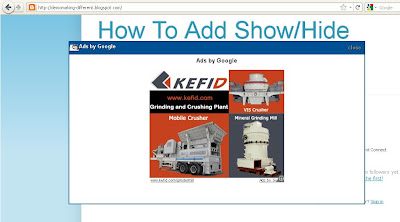
How To Add Google Adsense Pop-Up Ads To Your Blogger


How To Add Google Adsense Pop-Up Ads To Your Blogger


Looking how to create pop up window?? here an easy way to add and display your Google adds in pop up window.

1. Login to Blogger Dashboard -> Design tab -> Page Elements .
2. Click on Add a Gadget
3. Choose HTML/JavaScript from the List. 
4. Place Popup Window code in to it and Save the Gadget.

Note : Find In The Code "Your Adsense Code Here"And Replace With Your Adsense Code. 


//code starts//


<style>
#topbar {
height:30px;
width:auto;
background: #005094 url('http://lh3.ggpht.com/_beEpWOXwLJE/TIb57Lu4fwI/AAAAAAAABE0/q7niFVRbyNE/top-toolbar.jpg');
background-repeat:repeat-x;
text-align:left;
padding-top:4px;
}
#adsground {
height:auto;
margin:0 auto;
width: 336px;
background:#fff;
border-bottom:2px #005094 solid;
border-right:2px #005094 solid;
border-left:2px #005094 solid;
text-align:Center;
padding:4px;
}


#headlineatas {
opacity:1.0;
height:auto;
width:auto;
position:fixed;
top:65px;
left:170px;
border-bottom:1px #005094 solid;
border-bottom:0px blue solid;
color:#333;
padding:0px;
z-index:1001;
font-size:13px;}
</style>
<script type="text/javascript">
function getValue()
{
document.getElementById("headlineatas").style.display = 'none';
}
</script>
<div id="headlineatas">
<div id="topbar">
<img align="left" style="padding-left:2px;" src="http://icons.iconarchive.com/icons/deleket/folder/24/Mozilla-Thunderbird-icon.png" />
<span style="color:#fff;font-size:13px;font-weight:bold;text-shadow:black 0.1em 0.1em 0.1em">Ads by Google</span>
<span style="color:#fff;font-size:13px;font-weight:bold;text-shadow:black 0.1em 0.1em 0.1em;float:right;padding-top:3px;padding-right:10px"> <target="_blank" onclick="getValue()"><img src="https://blogger.googleusercontent.com/img/b/R29vZ2xl/AVvXsEho0uzfJ-UcMmnE7NywVWe3CLOU3RmSVI-zApvpvGo8jYRJnzBB5Vknk2boOiOhsykRLslJ6gUCv_3lr-oUDwr27R6r4AeIht27wf7kyLV39pWYSMIdPKejdTLw9LFEhjqw5fzeDtzH_BBB/s1600/close.png" /></target="_blank"></span>
</div>
<div id="adsground">
<h3><a href="http://gj37765.blogspot.com/2011/06/how-to-add-google-adsense-pop-up-ads-in.html">Get This Pop-up Window </a></h3>
<p align="left"><h3></h3></p>

Your Adsesne Code Here
<p>

<br/></p></div></div>


//code ends//


have thoughts about the post please say in comments
and we are not responsible for your account getting deactivated 
so use it after you get enough knowledge about it.

8 optimized ready adsense blogger templates


 8 optimized ready adsense blogger templates to earn more revenues in adsense.
optimized adsense blogger templates
Blue adsense ready blogger template:
Blue adsense ready blogger template is 3 column blogger template and verymuch optimized for high clickthrough.
DEMO |     DOWNLOAD
Moneygenerator adsense blogger template:
This template is very good template for adsense earnings.
moneygenerator-adsense-blogger-templateAdsense code pics is followsDEMO |    DOWNLOAD
Adsense Tech Template:
Black adsense ready:
black-adsense-ready-themeDEMO |    DOWNLOAD
Langit Blogger Template :
DEMO |   DOWNLOAD
Funny Adsense Template:
DEMO |    DOWNLOAD
Simple News Evolution Template:
DEMO |   DOWNLOAD
Bloggerized Adsense:
DEMO |   DOWNLOAD

Tricks to earn more from adsense


Here are few adsense tricks that can help you increase you income without much investment.
Adsense Trick -1 : Check you Keyword density
Check the keyword density of your page, this will help you forecasting of ads that will be displaying on your pages. You can also adjust you pages to target particular type of ads.
Adsense Trick -2 : Update you page to target towards some ads
You can also update you page content to target some keywords.
Adsense Trick -3 : Build theme based content for better result
Make the pages of the related topic, you can use the keyword suggestion tools to achieve this.
Adsense Trick -4 : Increase you web site page count
You should write one or more pages per day to increase number of pages on you website. When you create more quality content you will start getting more visits to you web site and your income will keep on increasing.
Adsense Trick -5 : Use the best adsense ads format on your web site
Research on the ads format and then display the best ads on your pages.
Adsense Trick -6 : Use the right color combination for your ads
Use the ads color matching with your page theme.

have thoughts about the post say in comments 

Top 5 AdSense mistakes


Here are the top 5 AdSense mistakes made by web publishers:

Google AdSense

#1. Knowledge of AdSense Terms of Service
Knowledge of AdSense terms of service is where many new to publishing and advertising on the Internet make their first serious AdSense mistakes so we have rated it as number 1 in our list of the top 5 mistakes AdSense Publishers make.
Many apply and have AdSense ads on their sites without actually reading the terms of service refer to it as TOS. Be knowledgeable and change your sites as required to ensure you are in compliance to maintain AdSense membership and income potential.

#2. Solicit Clicks
Another one of the terrible sins under AdSense mistakes is for you to click on one of the ads placed on your site. As well, you cannot promote or solicit clicks from others, use automated tools or software designed to click on ads. Fraudulent clicks are strictly prohibited. Google investigates clicks and those suspicious can result in no money and a lifetime ban. Occasionally, someone may illegally click your ads to get you banned. Report immediately and consider temporarily disabling the AdSense ads until Google has researched the AdSense problems and you have been cleared of any negligence. If you must check the ads appearing on your site, use the Google Preview Tool. 

#3. Change the AdSense Code
You do have options with optimizing and customizing your AdSense ads. Many feel that placement of AdSense ads is critical to success. You also must adhere to the number of AdSense ads you can place on your site. 

#4. Multiple Google AdSense Accounts
 Only one AdSense account per individual or business entity is allowed. Google AdSense accounts are not transferable, assignable or resalable.

#5. Placing Ads on Content and Other Web Pages
Here is another common mistake that many AdSense publishers make. Google does not accept about me websites, disorganized sites such as those with broken links, or sites which do not have enough original content. Content pages should contain "keywords" related to the theme of your website. These keywords are what will drive visitors to your site, read your information and interest the visitor in clicking on one of the related AdSense ads. Content pages are not welcome or thank you pages, login registrations, gateways, emails, or pop-ups. If in doubt, do not put the AdSense code on the page.

As well, you cannot place your images next to ads which could mislead or confuse visitors or block the visibility of the AdSense ads with pop-ups for example. There are alternatives to Google AdSense which can also generate income for your sites.
.

Easy way to earn more from google adsense


Do you want to know how you can build a successful Google Adsense income blog? Google Adsense is the best revenue sharing network that most bloggers earn a living with. There is no other alternative to Google Adsense in the Pay Per Click industry. This is the reason why most of the big bloggers l still place adsense on their blogs.

However, there are many of us who are brilliant at marketing and SEO but cannot earn much from Google Adsense. Why is it so? There are a number of factors that affect your adsense earnings that you might have missed.
Here are some key factors that can help you build a successful adsense income blog:
1. Targeted Traffic:
On the Internet, your earnings are determined by the amount of website traffic that you are able to drive to your blog. It is no different if you are looking to earn better than you do currently with Google Adsense. Some of the best ways by virtue of which you can drive a lot of traffic to your blog are –
a. Commenting on blogs which are much read by the people.
b. Guest blogging.
c. Link sharing with other blogs.
d. Use Google’s key word tools to identify your best keywords and your competition.
e. Post your links on a good site which is frequently visited than on many websites which are scarcely visited.
2. High paying niches:
Focus on the highest paying niches in order to make more money. high paying niches are a major factor for AdSense income. If most of your sites focus on low paying keywords, your income will be very low.
With only 10 cents per click and 250 clicks per month, can you afford a living? The answer will be No. That is why you should go for high paying niches that get higher bids from advertisers. Use Google’s Keywords Tool to research on this.
3. Right Ad units placement:
Make your adverts visible to the people who read your blog. While it can be very annoying to the reader if you place an ad in the middle of an article, it makes sense to put these adverts beside the article which will be visible to your readers. If they are interested, they will click on the link and make you some money. Give yourself a better chance to earn money through Adsense by making the adverts visible.
It is important to be tactful while placing ads on your blog. Placing too many ads is not done and putting your ad at the bottom of the page will not earn you any money at all as it will not be visible to the reader. Too many ads can be a recipe for disaster as they lead to invalid clicks and termination of your account as a result.
4. Fresh content:
Write about new things instead of dragging on about old stuff. Avoid writing on topics which have already been widely discussed and dissected. If the ranking of your blog is low, duplication of content or topic will not help you rank higher in SERPs.
So, choose new and fresh content to write about from time to time. It will help your content to be unique among the crowded niche.
5. Your invested time:
As with everything else in the world, your success on Google Adsense depends on the time that you invest in it. The more time that you put into it, the more you can earn from it. Your success depends solely upon the hard work that you can put in.
6. Using Adsense Multiple Palettes:
If your readers are ones who enjoy reading your posts and come back to your blog every other day, your Adsense ads are bound to be familiar to them. Try and use different color palettes from time to time and place your ads differently. Your adsense ads will change whenever readers open new posts or refresh the pages and you will end up getting more clicks and thus, more money.
7. Listen to Google suggestions:
Google shares great tips with their publishers in their forums and most of the bloggers who took their advice have ended up with more money than the rest. The advice is free and sure to get you results. Why not jump on it?

If i have missed any tips or if you have new ideas to earn moe with Google Adsense program, then please share via comments.

Monday, 2 July 2012

How to add adsense ads inside Blogger blog posts or between blog posts:-


Adding adsense ads inside blog posts is a very good thing to do to increase your CTR.
CTR means"(the number of times your ad clicked) divided by (number of times it is shown).So,the more CTR you have,the more $$ you get.

As we know,there are more chances for the ads to be clicked when they are in the middle(blog posts) rather than at the sidebars(especially the right sidebar),footer,etc.So,


How to place adsense ads between Blog posts:

By doing this,the adsense units will be displayed between the blog posts in the homepage,archive pages and permalink(individual post pages).
Follow the procedure to do this:

1.Sign in to your blogger dashboard>click on the layout link

click on the layout link
2.Click on the Edit link in the "Blog Posts' column[look at the below screenshot]
click on Edit..............a pop up window opens..........
3.Check the box next to 'Show ads between Posts'

next,configure the ads,choose the format,colours,etc and SAVE THE CHANGES.configure the adsThat's it! Now your adsense ads will show between blog posts.

If you want to know how to add the adsense ads inside the blog post rather than between the post, follow this:-
Showing adsense ads inside Blogger blog Posts:-
1.Sign in to your blogger dashboard>layout>Edit html
Check the box next to 'Expand Widget Templates'


2.Scroll down the window till you see this code
<b:if cond='data:post.includeAd'> <data:adEnd/> <data:adCode/> <data:adStart/> </b:if>


3.Replace that code in the template with the below code
<b:if cond='data:blog.pageType != "item"'> <b:if cond='data:post.includeAd'> <data:adEnd/> <data:adCode/> <data:adStart/> </b:if> </b:if>

4.Again,scroll down the template and find out data-post body tag[look at the below screenshot]
and paste the below code just above that code{this will show ads above the post body}.If you want ads to show below the post,paste the code below that tag.
Here is the code to paste:-
<b:if cond='data:blog.pageType == "item"'> <b:if cond='data:post.includeAd'> <data:adEnd/> <data:adCode/> <data:adStart/> </b:if> </b:if>
That's it!
Leave you comments if you like the post or if you have any questions doubts.

Friday, 22 June 2012

Best ways to get indexed by google


1. Submit your RSS feed

2. Google bookmarks
3. Use Craigslist
4. Post comments on blogs that don’t use nofollow
5. Buy links
6. Article marketing 
7. Social media
8. Link exchanges
9.  Become the Top Commentator on blogs
10.  Get Free One-Way Backlinks
11.  Harness The Power Of StumbleUpon

Tuesday, 19 June 2012

Drive traffic to your blog using stumbleupon and twitter


High return social media sites: StumbleUpon and Twitter

For StumbleUpon:
 
Sign up and install toolbar.

Spend some time stumbling some sites and giving thumbs up to generate activity so others see you’re not completely new.

Do up your profile page–add a picture.

Do not submit your own content.

Add friends who share your interests–many will reciprocate.

Use the “send to” feature to send your blog posts to your StumbleUpon friends, but make sure to also send other quality, relevant links from time to time.

Be the first to stumble sites because you’re given “discoverer” status and people are more likely to click through to see who you are (remember, that’s the purpose purpose of social media marketing as I’m describing it)

Create arrangements with other friends so that you continually submit each other’s content to SU. Make sure you do this with real friends whose content you enjoy. You want to build up a list of quality stumbles, because that’s how other stumblers decide to be your friend.

For Twitter:

Get a twitter client such as Twhirl or TweetDeck – makes it easier
Provide value and engage means that you:

  • Submit cool links
  • Be useful
  • Be timely (breaking news, first to alert,)
  • Be relevant to your followers
  • Be funny – let your sense of humor show
  • Have conversations (by the way, I hate it when people say convos – ick)
  • Don’t be rude or get into arguments
  • Get email notifications on new followers, check them out, follow more of them than you think you should (give people the benefit of the doubt, you can unfollow them later if turns out to not have been a great idea).
  • Help others
  • Ask questions Just to engage about a subject
  • Unscientific market research
  • Promote others
  • Retweet
  • Promote their blog posts
  • Suggest your followers follow a particular person you admire
  • Promote your own posts
  • Mix this in with the other stuff
  • Key to twitter is variety — mix it up
Have Suggestion and thoughts let us say in comments

Add StumbleUpon button in your Blogger's posts


Social Netoworks are a good resources to generate a costant traffic on your site. Personally I receive a good quantity of visits on this site from Digg (45% of total traffic). I already spoke about hou to add digg button in your blogger template in this post, and now I explains how to add a StumbleUpon button in each Blogger's post.

Select a button
You can select various StumbleUpon buttons like these:
StumbleUpon
<img alt="StumbleUpon"src="http://www.stumbleupon.com/images/stumble7.gif" border="0" />

StumbleUpon
<img border="0"src="http://www.stumbleupon.com/images/small_su_logo.png"alt="StumbleUpon">


How you can see, I used the first button on this site, but, if you don't like these images you can find other StumbleUpon icons here.

Add StumbleUpon code into your Blogger Template

First, save a copy of your Blogger template and after, in Modify Template switch into HTML view. Look for this code:
<p class='post-footer-line post-footer-line-3'>

... so, copy and paste the following code below the previous line of code:
<a expr:href='"http://www.stumbleupon.com/submit?url="
+data:post.url'><img alt='StumbleUpon' border='0'src='http://www.stumbleupon.com/images/stumble7.gif'/></a>

... and save your template.

Your StumbleUpon button is ready to work! Simple, and useful to attract more traffic on your site :

Monday, 18 June 2012

which is best google adsense vs chitka


google adsense vs chitika


I think Google Adsese is better option to make money online from your blog when CPC – cost per click and CTC – click through rate is compared with chitika, but problem with Google AdSense not easily approved for new site or bloggers. Chitika is one of the sites that easily approve your site or blogs and make money online.Click here Apply now on chitika and get approval.

Chitika also have all sizes of ad formats just like Google AdSense.Chitika income is only depends only if you get search engine traffic from US. If your blog is new and under construction than and you’re not getting more traffic from U.S than best option is Google AdSense. In that case chitika is not good for you.

Why chitika can compare with Google AdSense

Chitika is one of the most popular CPC advertisement network in the market for web publishers which have following amazing option
   
(a) Relatively higher pay-per-click
(b) Works with Google AdSense
(c) Capitalize on publishers SEO traffic

Affiliate program with Chitika: Chitika offering publishers to make more money with chitika with their affiliate program.Have thoughts about post please say in comments.

Looking For Your Favorite E-Books, Softwares, Movies etc. Let Us Know, All You Need To Do Is Comment & Subscribe Our Blog And Get it soon